
3-20-2026:
SAVE THE DATE:
March 31, 2026
Announcing My First Set of Related Webinars to My New Mastering Microsoft Video Series:
Taming the E-mail Beast for Outlook Users
I have decided to host some live new webinars on Taming the E-mail Beast as I now have completed versions of the two Taming E-mail videos available for program supporters.
I expect each webinar to be 75-90 minutes in length, and I'll be doing two webinars that day:
11:00 a.m. Eastern: Taming the E-mail Beast for Classic Outlook users
2:00 p.m. Eastern: Taming the E-mail Beast for New/Web Outlook users
(Not sure which version you are using? Keep reading!)
All current supporters that have already supported this effort at the $49 or higher level will get access to the live webinars of their choice that day, as well as access to the replays if they are not available on March 24th.
Not yet a supporter? If you make a contribution of $49 or higher (just use Donate button ... to right on computer or at top on phone) to my pre-launch campaign of my Mastering Microsoft series (full updated info below), you can also join in on one of the webinars on 3/24, or request access to the replay if you can't make it that day.
Just use the Donate button to make the appropriate contribution, and then send me an e-mail at randy@randalldean.com to tell me which program you'd like to attend: 11:00 a.m. Eastern (8:00 a.m. Pacific) for Classic Outlook users, or 2:00 p.m. Eastern (11:00 a.m. Pacific) for New/Web Outlook users.
And if you add in an extra $20 to your contribution ($69), I'll also provide you with access to the two Taming E-mail videos already created in the series, plus the Copilot Tips video replay.
Not sure which version of Outlook you are using???
I made this 45-second YouTube Short to help you know:
Please remember, without advance authorization, please don't add additional people to the stream on 3/24. If you have multiple people from your organization that you would like to have attend the session, please contact me for a pricing quote. I'll meet or beat the $49/person above or $69/person if you want the other videos mentioned above.
NOTE: This is a very low price for these individual webinars, and I'm doing this because I'm testing out a new webinar delivery system. More details on this once you complete your donation and send me the e-mail with your preferred time/session.
And remember, if you can't make the date, you will get access to the recording of the webinar session within a few days of the live session.
Have any questions? randy@randalldean.com
***
Here is the updated announcement on the full series (in production now):
I am re-announcing my new "Mastering Microsoft 365" video series with some important new enhancements!
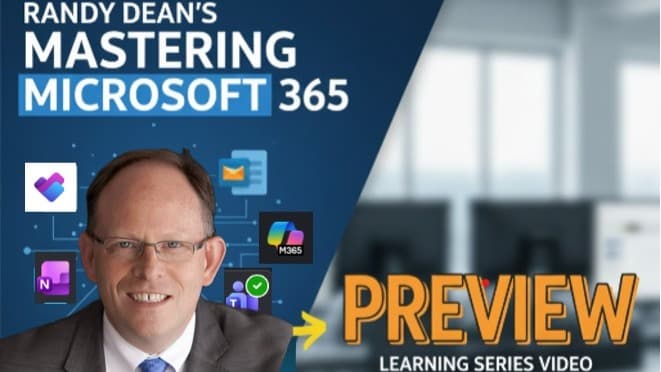
If this is your first time taking a look at the video series, here’s the current 29-minute Program Overview video explaining the scope of the series including the different 365 software programs each video will be covering: https://youtu.be/rFmF8KHMjz0
And here is the big change I'm making in how the program is delivered:
After working on this video series for a few months now, I’ve had some important observations:
- As is, the videos I've produced thus far are longer than expected. And I know that flies in the face of shortened attention spans in today’s workforce.
- As such, I've gone through the first two completed videos on Taming the E-mail Beast for Outlook Users and have done a minor edit that identifies what I am calling, "Daily Segment Plans". This breaks these longer videos (both of the first two videos are a bit over 2 hours) into much more manageable 25-40 minute "daily learning segments".
- And, I've now created very specific related "daily summary" PDF documents that explain in detail what each individual daily segment covers (also possibly useful as a printed handout for taking notes!) Here is the link to the new "Daily Segment Plan" for Video 1 on Taming the E-mail Beast: The Problem and The Process so you can see how these segment plans will make the learning lessons much more manageable for most course attendees.
- You could use the daily segment plan PDFs to even jump to specific content that you would like to go through earlier, or go back to after completing the full video program.
- And, to make that even easier, I have also added time-stamped raw transcripts for each video that you could use in conjunction with the Daily Summary Segment Plan PDFs to very quickly find the time stamp of the content you are seeking and jump right to that content as you prefer.
I really want to make this program both user/learner friendly and easily accessible for any type of adult learner, while also not sacrificing the level of detail required for a true "mastery level" course.
I think these changes above help accomplish those differing needs and design challenges, especially when you remember that I'm ALSO providing any program purchaser access to previously-recorded live webinar programs on these same topics.
More on Immediate Access to Recent Webinar Recordings:
These webinar recordings are much shorter – 75-90 minutes in length – and are also specific to each version of Outook.
There is a Taming the E-mail Beast webinar video specifically for Classic Outlook users, another specifically for New & Web Outlook users, and there are also available webinar replays on "Optimizing Your MS Outlook" (one each for Classic Outlook users and one for New & Web Outlook users), which is the program on time/project/task management strategies that builds on the techniques learned in the Taming E-mail sessions.
In essence, if you are looking for a faster overview of the key concepts in these two areas, and you are primarily using one version of the Outlook software, these webinar replays provide you the option to get through the key strategies in each area more quickly, whereas the new videos go into much more depth and feature BOTH versions (Classic & New/Web Outlook).
I did this because I'm actually recommending Outlook users to seriously consider occasionally using BOTH versions of the software, because there are some features/tools available in one that isn't available in the other, and if you know what those features are, you could jump out of Classic to use that new tool in New or Web Outlook, or vice versa to access an older but still very useful productivity tool in Classic that isn't available yet in New or Web Outlook.
This combination of New Videos, related "Daily Segment" PDFs, and Past Webinars is the New Plan for the Series!
I'm planning on doing a similar treatment to everything above for all future videos in the series that are in production now – if the Mastery video segment is longer than 1 hour, I will break it into "daily segment plans" with coordinated Daily Plan PDFs, but I also do have video content and/or webinar replays already on each of the key software apps in the series (OneNote, OneDrive, Microsoft Teams, Planner & To Do), and will provide those also right away for those purchasing access to the full series.
That way, you don't have to wait for the final "Mastery Series" videos to be fully completed and edited if you want to get started with learning new skills on any of these newer 365 programs RIGHT NOW! I don't want to make you wait.
Part of the reason I am making all of these little "tweaks" to the series: I've discovered that editing the final videos takes 5-10 times longer than RECORDING the videos. And, the videos are longer than I initially anticipated, but I do really like the content that I'm assembling.
As such, one more little change: for anyone that requests the full 10-video series, for the remainder of the videos still to be recorded/produced, I am going to release a “rough cut” version that I can record and share quickly with the program “pre-launch” supporters (I already did this with 3rd and final Outlook video in the series on time/project/people/task management strategies for Outlook users.)
That way, I can get new and updated video content out to all of my pre-launch supporters much more quickly on the OneNote, OneDrive, Teams, and Planner/To Do content so you don’t have to wait as long, while still giving myself the time to do a high-quality editing and post-production effort.
I’d rather do these “well” (high quality) instead of “quick”, but I think with this adjustment, I can nonetheless get at least a rough version of the content out much more quickly to those supporting me in the pre-launch phase.
More on the New "Daily Segment Plan" for Course Attendees:
As mentioned above, I want to make getting through these videos manageable for someone with limited time on a daily/weekly basis. Thus, I’ll identify what I see as good places to stop each day somewhere in that time frame so that you can take in this content in a bit more of an accessible format. Thus, the 2-hour first video of the series now has a plan to watch and learn over 4-5 separate sessions.
For each video more than one hour in length, I’ll build a “Daily Plan” document that I’ll share with you, and I’ll continue doing this for all of the remainder videos in the series. And, I’ll also do it for the new upcoming “rough cut” videos, and then re-edit that PDF once those videos are in final edited form.
Future Microlearning Version Also Coming ...
And, Third, I am ALSO going to develop a true “micro-learning” version of this series, with 5-10 minutes per day of lessons. This may require some additional recording and rework, and I’m planning to build this after completing the recording of at least the promised “rough cuts” for each program, but I know and understand that different people learn in different ways.
Some really like super-in-depth content like I’ve created thus far, but more are looking for shorter and more focused "learning buckets". I’m going to provide three different options:
1) You could dive in and watch each individual video as its own in-depth training lesson, or ...
2) You could also take advantage of the new 25-35 minute “daily segment” training plans being built in with the existing/planned full-length videos, and ...
3) Watch for the upcoming “microlearning 5-10 minutes to mastery” every day option when the initial video series has been recorded.
And don't forget, you'll also get access to the previously recorded webinar replays as mentioned above.
I want to give the purchasers of these programs options that work for ALL TYPES of adult learners/learning styles and, frankly, attention spans! (I also believe this format will work better for many that are looking for content for their LMS systems in their organizations.)
Finally, I’m also planning on adding a live webinar component once the rough cuts are completed for the remainder of the courses in the series. Basically, I’ll be giving the program purchasers a chance to jump into a live webinar for EACH program/topic they've purchased access for. The hope is that these webinars will provide a live-action Q&A opportunity for those that support/purchase the programs.
So, with these changes/additions, I’m hoping to turn this into a true multi-option/multi-format learning series, fitting the learning needs and styles of all different types of professional learners. And yes, as a pre-launch supporter, you’ll get access to all of the related materials for the content you requested – from just a segment of the video series to the entire series.
I hope you like these in-process adjustments/changes/additions to the series, and would love to hear your thoughts on this series thus far as well as these ideas to make the series more accessible.
And for those of you who have purchased access to all programs in the series, watch for more “rough cut” versions of the remaining videos/content to come out much more quickly. (Had I realized how long the video editing process would take, I would have done all of the rough cuts right from the start and THEN did the editing/post production – this has definitely been a “live and learn” process.)
As mentioned above: Videos #1 and #2 on Taming the E-mail Beast for Outlook Users (Classic & New/Web) Now Completed. Video 3 is Recorded and in Post-Production.
Videos #1 & 2 in the Mastering Microsoft 365 series are completed and have been shared with current supporters of this series. These videos, specifically on Taming the E-mail Beast for Outlook Users: Both Classic and New/Web Users (Parts 1 & 2) have now been sent to the program pre-launch supporters as detailed below, and will soon be available for purchase as a 2-video "standalone" set on my regular course web site. (More info on this soon!)
A rough-cut version of MM365 video #3, with information on how to use Microsoft Outlook as your "center point" of a personal/professional time/project/people/task management system, has been shared with pre-launch supporters. Here is a 19-minute video snippet from Video #3 – a discussion on how to better start and work your day with more productivity and focus while still being able to be flexible and deal with the unexpected.
And here is a link to a 20-minute video "snippet" from Video #2: https://youtu.be/0r09B-mQt0w – these video and document links should give you a very good feel for the content/delivery of the programs. (And, you'll see, I try to make these videos fun.)
The special announcements below are still valid -- and now with your support, you can get access to the first two videos plus the rough cut of video #3 in the series immediately.
Special Announcement for Pre-Launch Supporters:
Note a new limited-time offer: Anyone supporting this series at the $49 level or higher can get immediate access to my new 1.25 hour program on Quick Basics on Workplace AI Productivity Featuring Microsoft Copilot in addition to the stated support gifts listed below (you'll get both!)
If you'd like to see the Copilot-generated summary of what this new video covers, you can see that right here. And here is the new "time-stamp" document that shows what exactly is covered when in the video (this will be a standard feature of ALL videos in the program series to help users jump to the content they desire most).
AND, for all new donations at the $99 or higher level, you can also get access to Randy's video program on "Taming the E-mail Etiquette Beast: Finding Clarity and Reducing Aggravation with Your E-mail Communications". Here is a summary document on what is covered in this program: Note: these two video programs will be made immediately available upon your eligible donation.
Note:
The Copilot video will end up as likely the final video in this series -- but I wanted to record this version up front as I have recent content on most of the other topics. (Plus, I fully expect I'll be re-recording this particular video when all of the other videos are completed simply due to the amount of speed of change with AI technology.)
This is the Original Pre-Launch Announcement from 2025 Below:
Hi Everyone!
I've decided to embark on my biggest video project yet: a full video series on how to become significantly more productive using your Microsoft Office tools, apps, and software:
The Mastering Your Microsoft - Outlook & 365 - Video Training Series
Here's a brief 7-minute video explaining what I'm about to do:
Note that as a supporter before launch, you have a VERY special opportunity for unique pricing of this series!
Here is a bit more about me and what I am planning to do:
Many of you already know me as The E-mail Sanity Expert(R), and that I've been leading programs on these topics for Microsoft and Google users all around the United States, Canada, Mexico, and Europe now for 20+ years. I started my business in 2004, teaching tips on time & e-mail management for people using the latest version at the time: Outlook 2003!
Over the years, I've been updating my programs as the software and tools have changed: from Outlook on CD-ROMs to Outlook and Gmail in "the cloud" to full usage of many of the most popular Microsoft 365 and Google Workspace tools. In Microsoft, I've picked up new programs along the way, including OneNote, OneDrive, Teams, Planner & To Do, and even Copilot, while still teaching tips on time & e-mail management in Microsoft Outlook -- both the "Classic" version as well as now New & Web Outlook.
I've helped people in major corporations, top universities, local/state/federal governmental agencies, and for numerous professional groups, associations and organizations at hundreds of conferences, conventions, and group meeting events gain more productivity, be less distracted, and find more time through these programs.
Want more info on Randy Dean, MBA, CVP (Certified Virtual Presenter)? Check out my newly-updated 2-page "Speaker Info Sheet" to learn a bit more about me.
And, recently, I became aware of a new online platform that will allow me to pull ALL OF THIS knowledge together into a comprehensive multi-part video series to make this information available in an "anytime" format, with the ability to also change out components of the program when there are major software changes/user interface updates to keep the program current in coming years.
Here is my currently planned set of video programs (Note: this is a preliminary plan and might change a bit as I get into the content -- I'd expect AT LEAST this many videos but maybe more. And, if I add even more tools from the 365 suite to my toolkit, I'll likely add those videos too!)
Preview Video: The Overview of the Outlook and 365 Suite: What They Are and How They Work Together (shorter 29-minute series overview video -- same video as at top)
Video #1: Taming the Outlook E-mail Beast Part 1: The Problem and The Process
Video #2: Taming the Outlook E-mail Beast Part 2: Taking advantage of automations (including Copilot) and also reducing distraction
Video #3: Day-to-Day and Longer-Range Time, Project, People, and Task Management in Your Microsoft Outlook (including a bit on OneNote, Planner & ToDo)
Video #4: Understanding OneDrive and SharePoint including Best Practices for Filing/Organization/Sharing in OneDrive
Video #5: More on OneNote for Personal/Professional Organization and Project/Team Coordination
Video #6: Integrating Planner & To Do in Your Personal/Professional Planning (Including Team Integration)
Videos #7 & 8: Microsoft Teams: Meetings & Chat Basics PLUS Going from Individual Performance to Group/Team Coordination and Collaboration with Microsoft Teams (with a bit about Loop)
Video #9: Adding Copilot into Your Toolkit for AI-Enhanced Productivity
I'm going to offer three options for this 10 video series (including the Preview/Overview video):
1. The Entire Video Series – likely to be priced about $499.
2. The First Three Primary Videos on MS Outlook skills – Likely to be priced about $299
3. The Last Six Primary Videos on MS 365 Tools – Also likely to be priced about $299
Any purchase will also get access to the upfront "Preview Overview" Video. Once I get past the recording/production of the videos above, I am planning to circle back and create a "microlearning" version of each program, with (hopefully) a set of videos that cover basically the same content, but in a format of 5-minute daily lessons.
And, over time, I might add in a few more topics/365 tools as well as some bonus videos/content as I create it to extend the value even further for program supporters and purchasers.
If you've attended my live webinars in the past, you'll know that I tend to put a lot (too much?) info into these timed programs. But my plan with this series is to pace out the content in a bit more of an accessible pace, as well as to timestamp key points/tips in each video so that it will literally become a powerful productivity reference tool for Microsoft users moving forward. I'll also prompt viewers of when I would recommend to "stop the video and try this!", so you know when you should actively work on your new 365 skills vs. passive learning.
* Speaking of my past webinars – I have fairly-recent video content from past webinar recordings on nearly ALL of the topics above.
I am making the relevant video content available right now for those supporting this series in this "pre-launch" time period.
You don't have to wait to start building new skills on ALL of these 365 tools, even if the final video on that topic is not available yet.
And, as I mentioned above, I also plan to use this "segmented" approach to update/replace videos over time in real time as the software changes over time (those that support this program pre-launch will get those updates as appropriate for the programs they have purchased, with no planned expiration date), and do these with a bit of a higher "production quality" than my basic recorded live webinar programs. In essence, you'll be purchasing a "lifetime membership" in this program, with regular updates as these programs change and evolve.
(And I'll likely produce a similar series for Gmail/Google Workspace users once the Microsoft series is completed! Contact me if interested in this!)
With this in mind, I'm planning on charging a higher fee for the full video program set, as well as for the individual programs within.
But if you are interested in supporting me as I work through the development and video recording over the coming months (Four of the videos are already recorded -- the three Outlook videos and the Copilot video -- the OneNote video is being recorded right now!), I am considering making this content available in either a "single component" form or at a discount to the expected retail price.
In other words, since you are helping me right now during the "pre-launch" production phase, I'm going to help you by getting you the content you most desire at a very affordable price.
Here are some examples of possible gifts for your support:
$5 -- Get my e-book on Taming the E-mail Beast (with updated in-book video tips for both Outlook and Gmail users) and my YouTube Channel Guide PDF with access to more than 100 of my popular YouTube video tips. Be "on the list" to receive updated versions of these two useful electronic video-enhanced PDFs whenever changes are made.
$25 – Pick any single program in the list above (for single person use only) Once completed, you'll get immediate access to the new video program.
$50 – Pick any single program in the list above (for single person use only) If I already have a recent webinar recording on this same topic, you will gain immediate access to that also, so you don't have to wait for the new video to finish production to start improving your skills.
$99 – Pick any one program and share it with up to 3 people in your firm. OR, pick any three programs for yourself!
$149 – Pick any three programs and share it with up to 5 people in your firm, or any one program for up to 10 people in your firm.
$199 – Get access to the full series of videos, as they are released, with continuing access to any future updates as they occur (single person use only) You can see this is less than half the expected retail price once the series is fully produced -- this pre-launch period is the only time the price will be this low.
$299 – Pick three programs and share with up to 10, or 1 program for up to 20. Or full series of videos for 2 people.
$499 – Three programs for up to 25 people, or full series for up to 5 people. (Remember, when the full program officially launches, this will be the single person price!)
And, if you have more people or want access to more videos than what you are seeing above, just write me an e-mail at randy@randalldean.com and make me a custom offer. I'll write back to let you if I accept the offer and then you can complete your donation to support this program launch. In essence, I'm pretty flexible, and will consider any serious offer by either a private individual or from a group/company. We can also discuss licensing options for posting on your firm's LMS if you have one.
Also note: if you are a decision maker with a professional group, membership organization, or professional association, there are ways you could make these videos/this entire series available for your members AND raise revenues for your group/ association. Please contact me at randy@randalldean.com and we can set up a brief call to discuss options.
My goal is to make a full series of high-quality training videos that will work just fine as standalone programs, but also, together, act as a comprehensive "mastery" series for those using these powerful 365 tools: from Outlook to Teams to Copilot and more. AND, it will be designed with regular updates as part of the plan!
And, you can take advantage of this at greatly reduced pre-launch pricing.
Are you one of my former webinar purchasers? If so, send me a note, and I'll knock your donation gift up a level for the lower level price. This is a thank you for those that have supported my previous content efforts.
But I think regardless of the donation, whatever level you support, you will get back far more in saved time, reduced distraction, and improved productivity. The ROI on this series for program purchasers should be frankly pretty ridiculous at these prices.
Thanks again for your past and continuing support! And if you have any questions, please contact me at randy@randalldean.com
Randy Dean, MBA

The E-mail Sanity Expert (R)
20+ Year Member of The National Speakers Association
Certified Virtual Presenter (CVP) by e-Speakers
Author of the former Amazon Bestseller (and recently rebooted e-book) on Taming the E-mail Beast
https://linkedin.com/in/randydean/
https://www.youtube.com/@timelyman